Filter by group or assignee
An event's Tasks tab opens on your own tasks. A few controls above the list narrow it down further.
My Tasks or All Tasks
The first toggle switches between My Tasks (tasks where you're the primary or secondary owner) and All Tasks on the event. It starts on My Tasks, so if the list looks short, switch to All Tasks.
Group pills
The Groups card lists each bucket on the event with its completion count, like "Marketing · 4/12". Click one to show only that bucket, and click it again to clear it. The card can be collapsed when you don't need it.
Assignee pills
Each person with tasks on the event gets a pill with their count, like "Jordan Lee · 3/9". Click one to show only their tasks, which is handy for a quick check-in before a meeting.
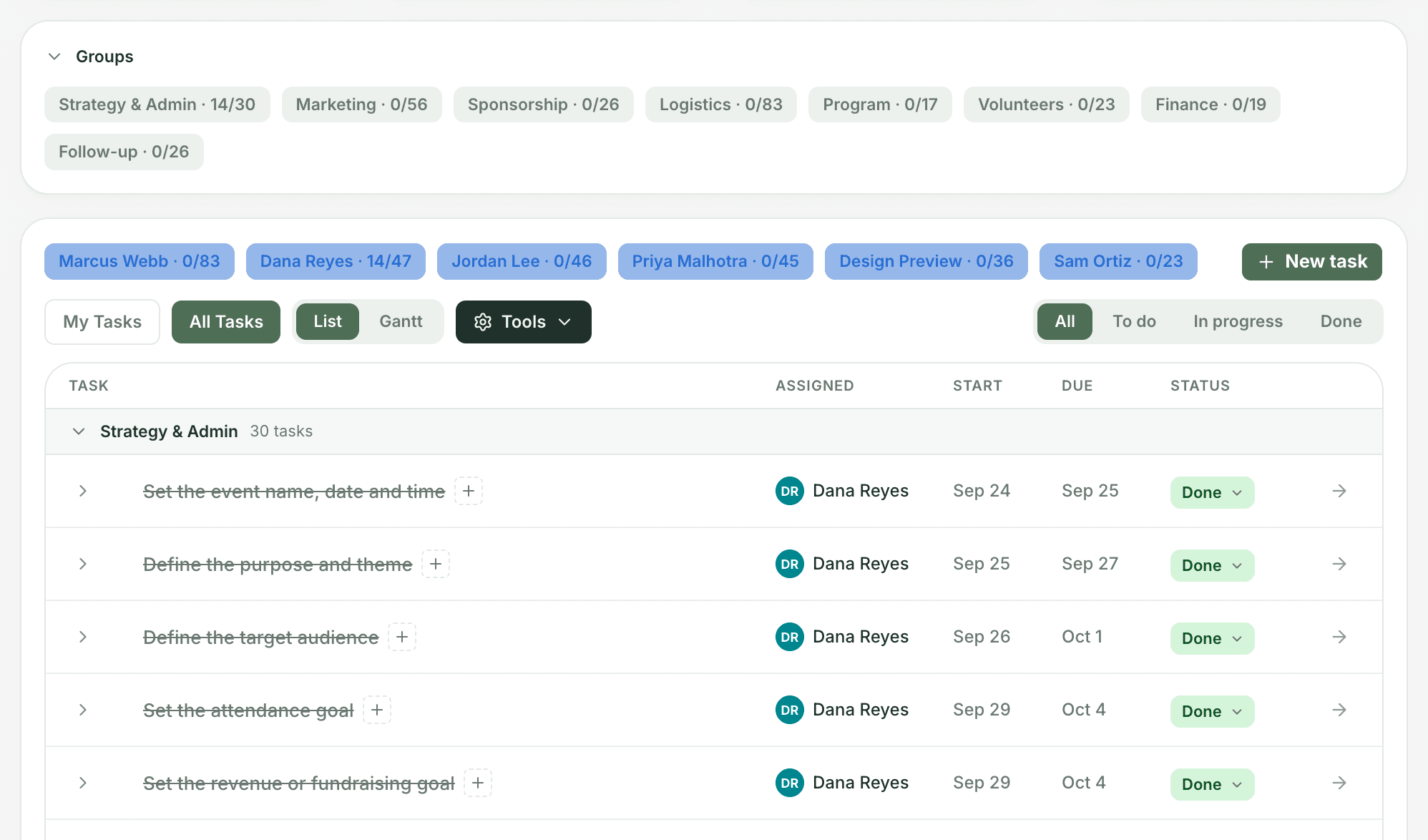
Status and combining filters
On the right, All / To do / In progress / Done filters by status. To do includes blocked tasks. Every filter combines with the others, so you can see, say, Jordan's unfinished Marketing tasks, in either List or Gantt view.