Move a sponsor through the pipeline
EVERYONEUpdated 23 Sep 2026·2 min read
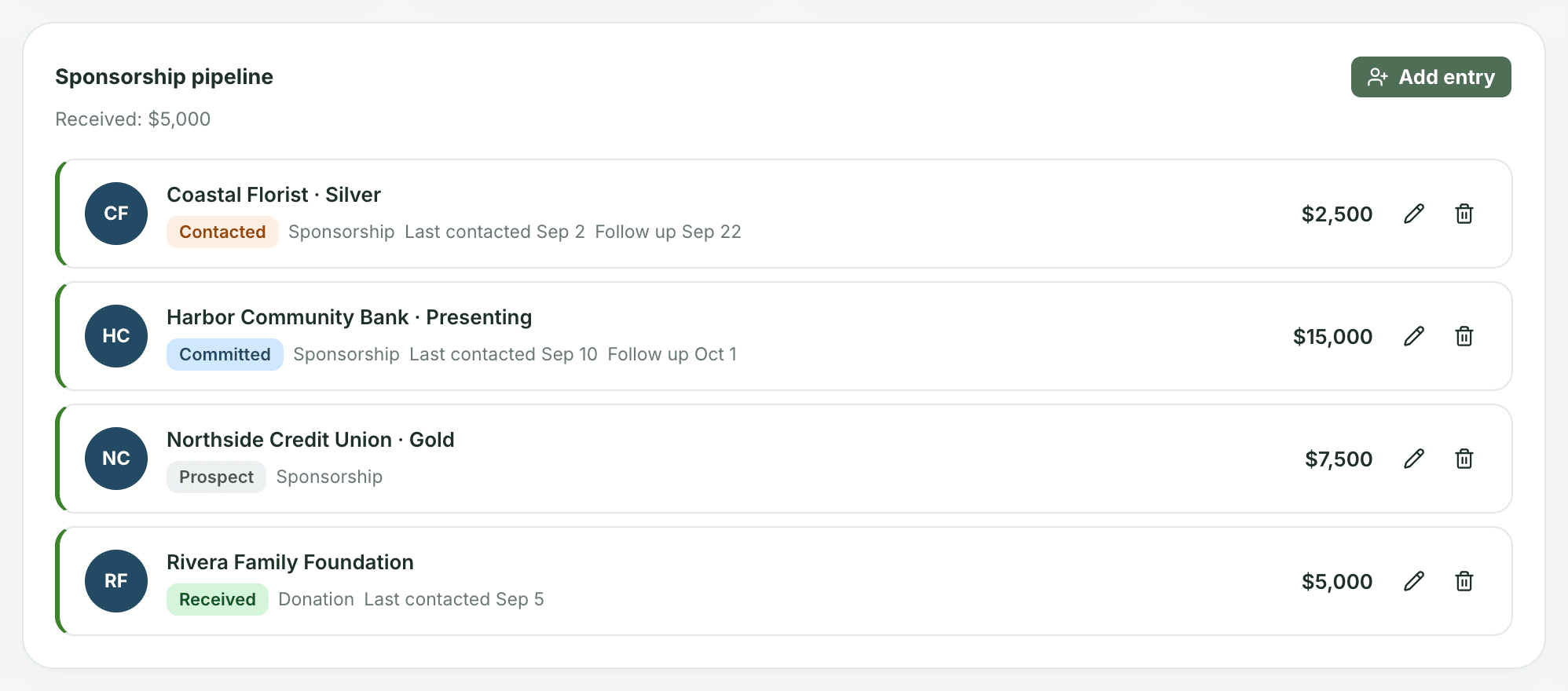
With the Sponsorship pipeline turned on for an event, its Sponsors tab tracks every sponsor and donor through the same four stages.
The four stages
Adding an entry
Add an entry and pick the Supporter from your organization's directory, or type a new name to create one on the spot. That way a company that gives to several events stays one record. Choose the Type (Sponsorship or Donation), an optional Tier such as Gold, the amount and the status, plus optional last-contacted and follow-up dates. Anyone on the event can add and update entries while it's unlocked.
Received counts as revenue
No need to log it twice. Moving an entry to Received adds it to the event's revenue automatically, on the Budget tab, the Dashboard and Reports. Don't also log it as revenue on the Budget tab.
Was this helpful?
Still stuck? Contact support