This Event vs. Fiscal Year reports
EVERYONEUpdated 23 Sep 2026·2 min read
Reports, in the left nav, shows your money in two ways: one event at a time, or every event together.
This Event
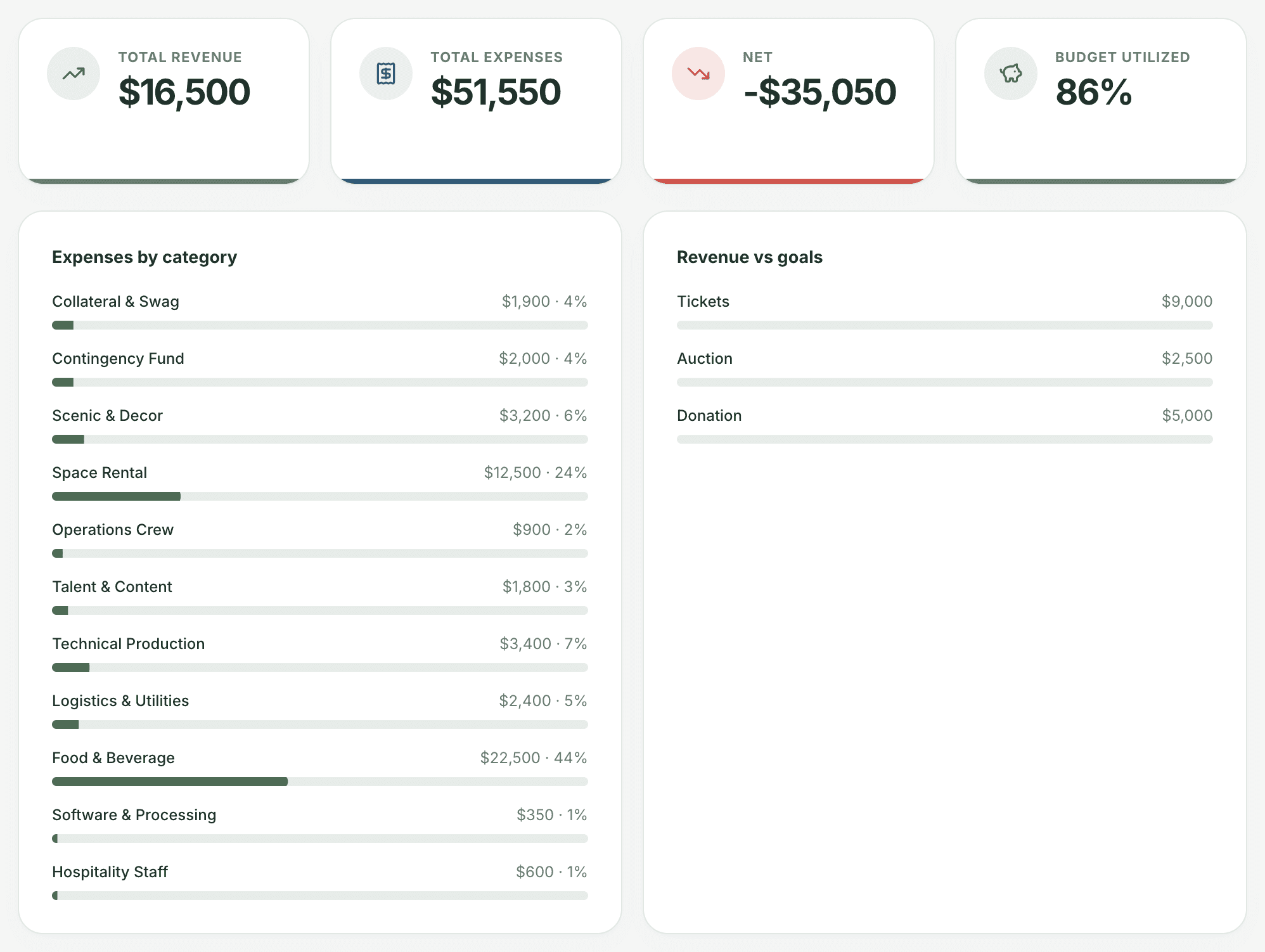
Pick an event from the menu to see its total revenue, total expenses, net, and how much of its estimated budget has been used. Below that are expenses by category and revenue by source against each of its goals.
Fiscal Year
The same report across every event your organization has recorded, which is useful for an annual review or a board update.
It isn't limited to one fiscal year yet. Despite the name, this view currently totals every event, of any date or status. A fiscal-year filter is planned. Until then, use This Event for single-event numbers, and keep in mind that the combined totals include past years.
Was this helpful?
Still stuck? Contact support