Set notification defaults
Settings → Notifications is a grid of what should alert people, and how.
What can notify you
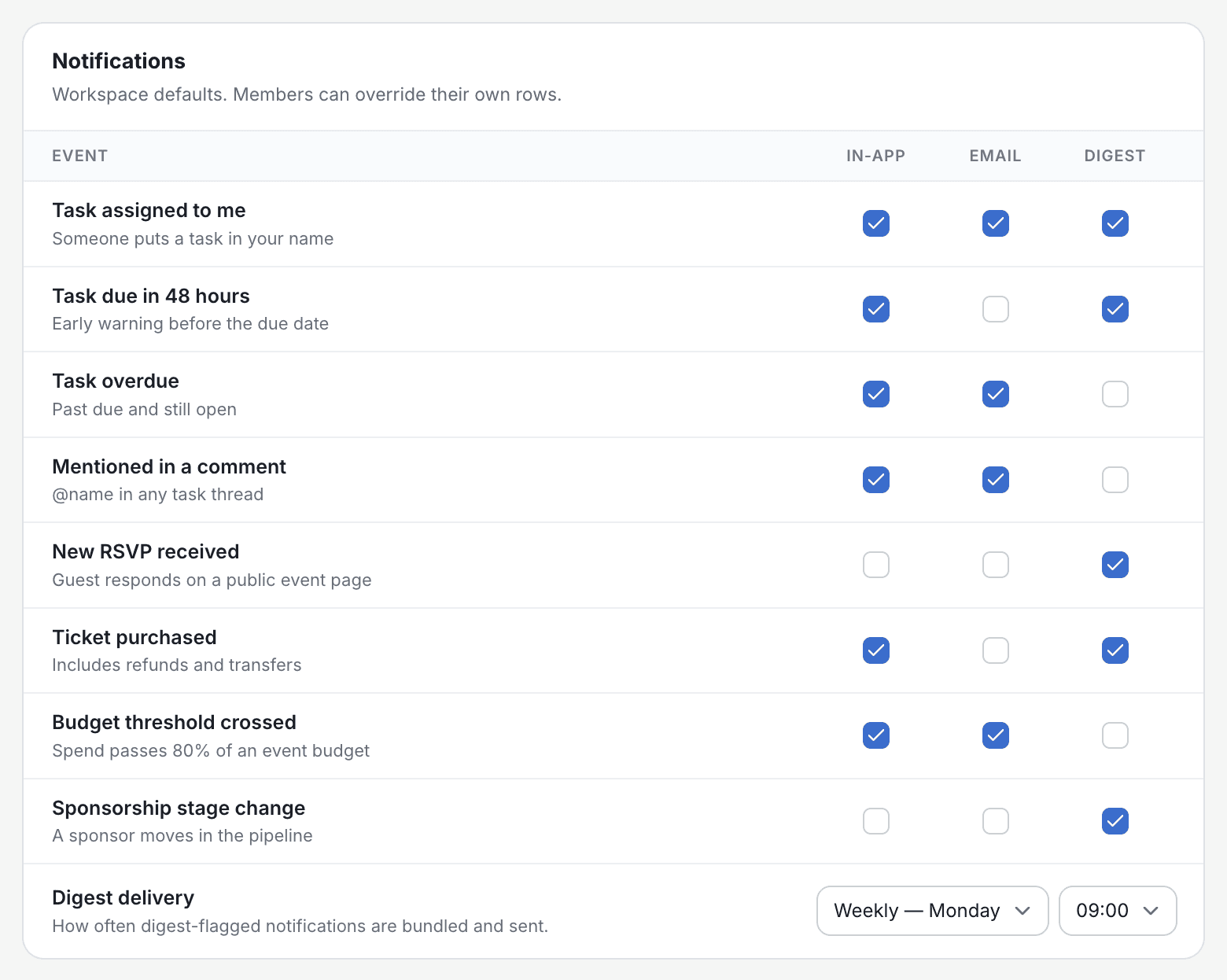
Eight kinds of activity each get a row: task assigned to me, task due in 48 hours, task overdue, mentioned in a comment, new RSVP received, ticket purchased, budget threshold crossed (spend passes 80% of an event's budget), and sponsorship stage change.
In-app, email or digest
Each row can be switched on for in-app, email and digest. Owners and admins also choose how often the digest goes out (daily, or weekly on Monday) and at what time.
Workspace defaults vs. your own
Owners and admins set the workspace defaults. Everyone, including owners and admins, can override their own rows without changing anyone else's.
What's live today
Notification delivery isn't switched on yet. Your choices are saved and will apply when notifications launch, but no emails or digests are sent yet. Until then, the bell's Recent updates and the Dashboard's Recent comments show new comments and your @-mentions.