Set up ticket types
EVERYONEUpdated 23 Sep 2026·2 min read
With Ticket sales turned on for an event, the Tickets tab is where you define what you're selling before you log any sales.
Creating a ticket type
Click to add a ticket type and give it a name, a price and an optional quantity goal, such as General Admission, VIP or Early Bird. Each type tracks how many have sold against its goal, and is marked Selling fast at 90% of its goal and Sold out when it reaches it.
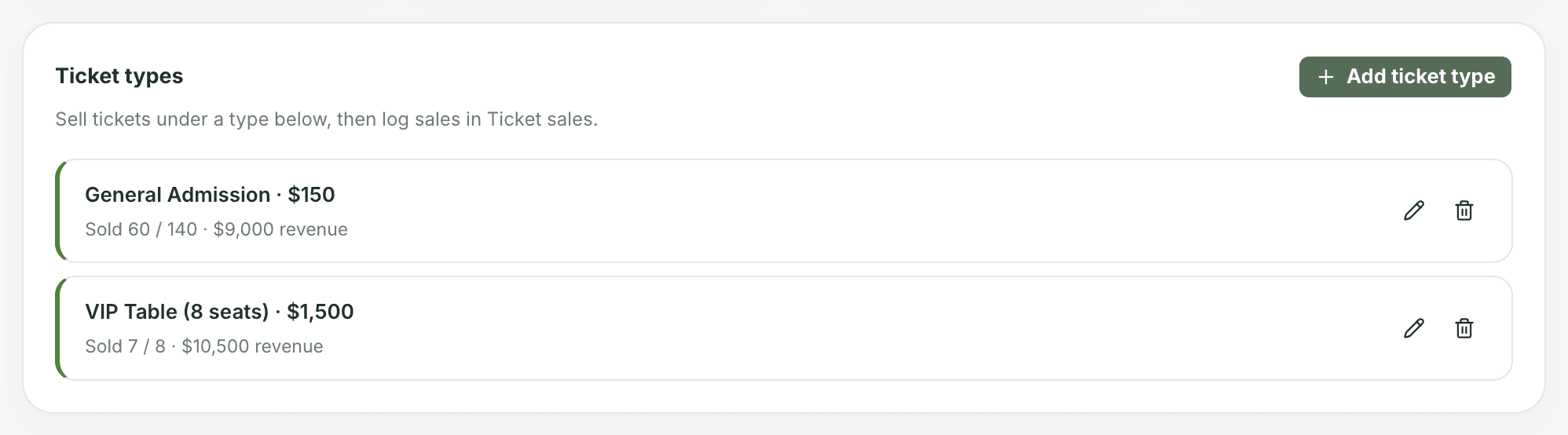
Several types on one event
An event can have as many ticket types as it needs. The Tickets tab shows each one and the totals across all of them.
Deleting a ticket type deletes its sales too. If a type is no longer on sale, leave it in place so its history stays in the totals.
Was this helpful?
Still stuck? Contact support